
How to count inventory in 2026: the methods, compared
Pen and paper, an external company, a dedicated terminal, or the phone already in your pocket. Each method has its own cost, pace and error risk. An honest comparison, including when the old way is actually enough.
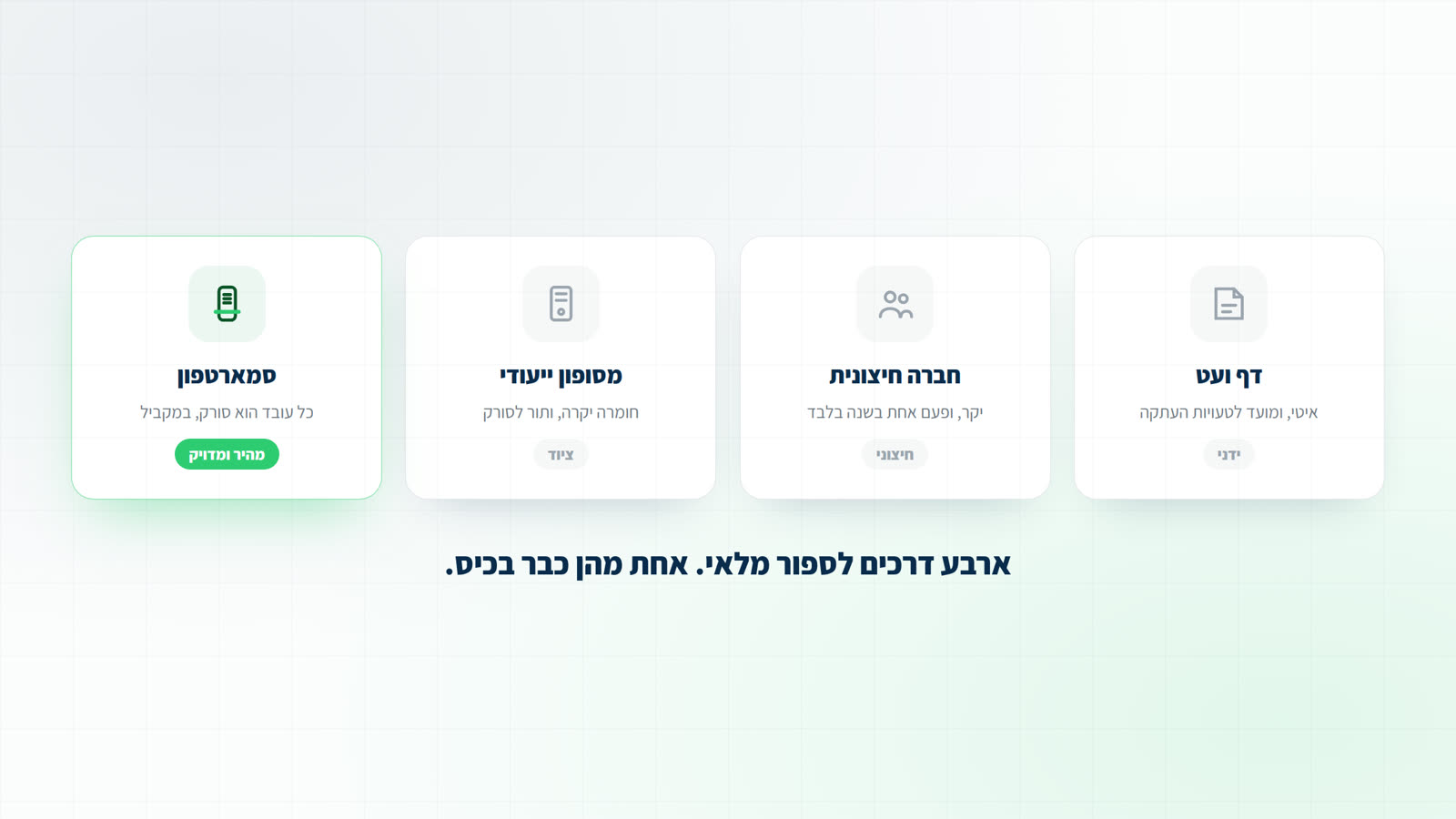
Why the method matters at all
Orderly stock is not about aesthetics. It sets how much capital sits on the shelves, which purchase orders go out, and what the financial statements actually say. A slow or inaccurate counting method translates directly into money: work hours, items disappearing unseen, and decisions made on wrong numbers.
Method 1: pen, paper and Excel
The veteran method: walk the shelves, write, type it all into Excel at the end. It needs no tools, and that is roughly its only advantage. Every copy step is a chance to make a mistake, several people cannot work on one file, and past a few hundred items it simply never ends.
If you have a few dozen items and one count a year, it may genuinely be enough. Beyond that, the burned hours cost more than any system.
Still counting on paper or in a spreadsheet? Download the inventory count sheet (Excel and PDF)
Method 2: an external counting company
A crew arrives with its own equipment, counts, and hands over a report. It works, but it is expensive, booked for one date a year, and the crew does not know your goods: similar items get confused, and there is nobody to ask. The knowledge leaves with them.
There is one case where it is right: a very large business required to run an objective external count for audit. Even then, a system that stays with you covers the year between audits.
Method 3: dedicated terminals
Dedicated scanning devices are accurate and rugged, but come with two problems: hardware costs that need maintaining and updating, and a limited device count, which means workers queueing for a scanner. At the end someone still has to pull the data off them and tidy it.
Weighing up buying or renting? Handheld terminals for inventory counts: rent, buy, or count from a smartphone
Method 4: the smartphone already in the pocket
Every worker's phone becomes a scanner: the camera reads barcodes, a Bluetooth gun can join for hours of continuous scanning, and every scan lands in one system live. No hardware to buy, no scanner queue, and the whole team works in parallel, each in their own zone.
It also changes the kind of control you have: a manager sees on screen who is scanning, how much was counted and where the differences are, during the count rather than a week after it.

See what it looks like in practice: inventory counting software on any smartphone
The bottom line
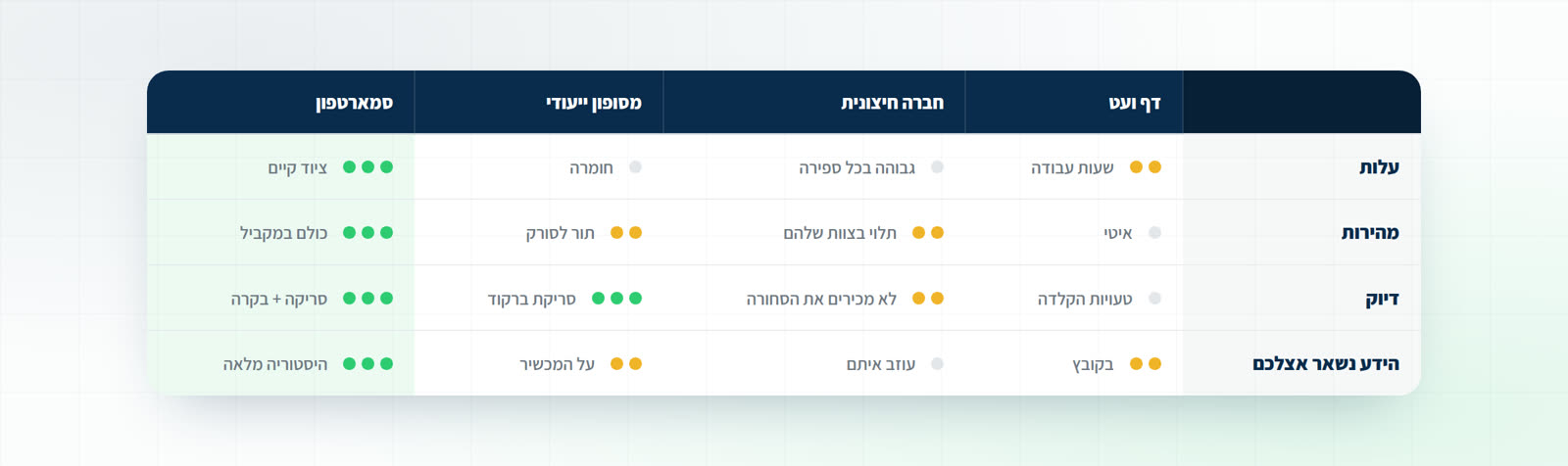
- Cost: paper is cheap until you count work hours. External is expensive every time. Terminals are expensive hardware. Smartphones run on equipment you already own.
- Speed: scanner count decides. When every worker is a scanner, the count shortens in direct proportion to team size.
- Accuracy: anything with barcode scanning beats manual typing. The remaining difference is live control and duplicate prevention.
- Knowledge that stays: a count done with your own tools leaves you the history, the differences and the insights for next time.
Getting ready for the annual count? The year-end inventory count: a practical guide
Common questions
Can a Bluetooth gun and camera scanning mix?
Yes, in the same count: part of the team on phone cameras, part with guns. Both land in the same screen and the same list.
How many workers can scan at once?
No practical limit. Our customers run counts with dozens of simultaneous scanners.
Where does the data end up?
A clean Excel file, or directly in your ERP's template: Priority, SAP, Hashavshevet, Comax and more.