
The ERP is the brain. We are the hands.
Priority, SAP, Hashavshevet: excellent systems we do not pretend to replace. But their counting screens were built for a desktop in the office, not a worker at a shelf. We count on the floor, and your ERP receives the result in a format it likes.
Not replacing your ERP. Completing it.
The right column is not against your system. It is exactly what it is missing on the floor.
Purchasing, planning, finance
ERP alone: The ERP's natural home
ERP + OpticCount: Not our territory, on purpose
Counting at the shelf
ERP alone: A screen built for the office
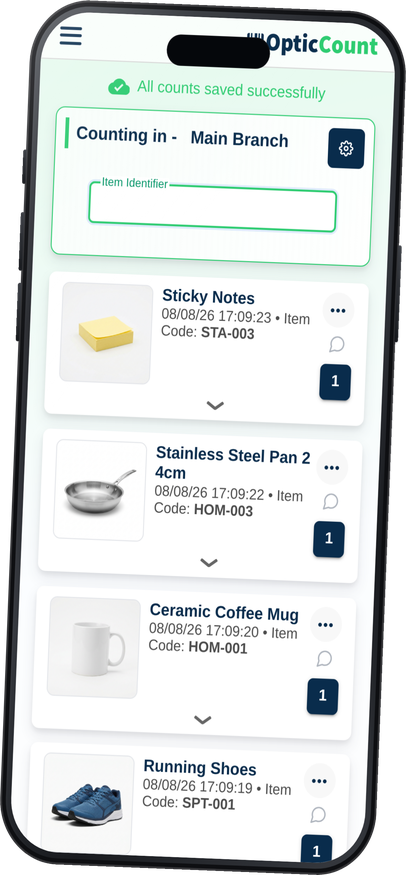
ERP + OpticCount: A screen built for thumbs
Camera scanning
ERP alone: Usually none
ERP + OpticCount: Built in, plus Bluetooth guns
Ten counters in parallel
ERP alone: Not the scenario it planned for
ERP + OpticCount: The core of the system
Weak signal in the warehouse
ERP alone: The screen hangs
ERP + OpticCount: Saved on device, uploads later
Who counted and when
ERP alone: The import record
ERP + OpticCount: A log per individual scan
Getting results back in
ERP alone: Typing, or building a file by hand
ERP + OpticCount: A ready template for your system
Opening a new count
ERP alone: Involve IT
ERP + OpticCount: A manager opens it from the screen
Three familiar moments, and what happens here instead.
"Bring a laptop to the warehouse."
The ERP's counting screen wants a keyboard, a mouse and stable network. The warehouse offers shelves, dust and patchy reception.
The phone already in the pocket.
Every worker scans from their own device, on a screen built for fingers. The laptop stays in the office, where it is happy.
"Two people cannot count together."
ERP counting screens are built for one licensed user. Ten workers in parallel is a distant dream or an expensive license.
The whole team, one count.
As many workers as you need, each in their own zone, all merging into one count in real time.
"Now type it all back in."
Counted on paper or in Excel? Someone now sits at the ERP keying in results, row after row.
A file the ERP swallows as-is.
The count ends in a file shaped for your system: Priority, SAP, Hashavshevet and more. One import and it is in.
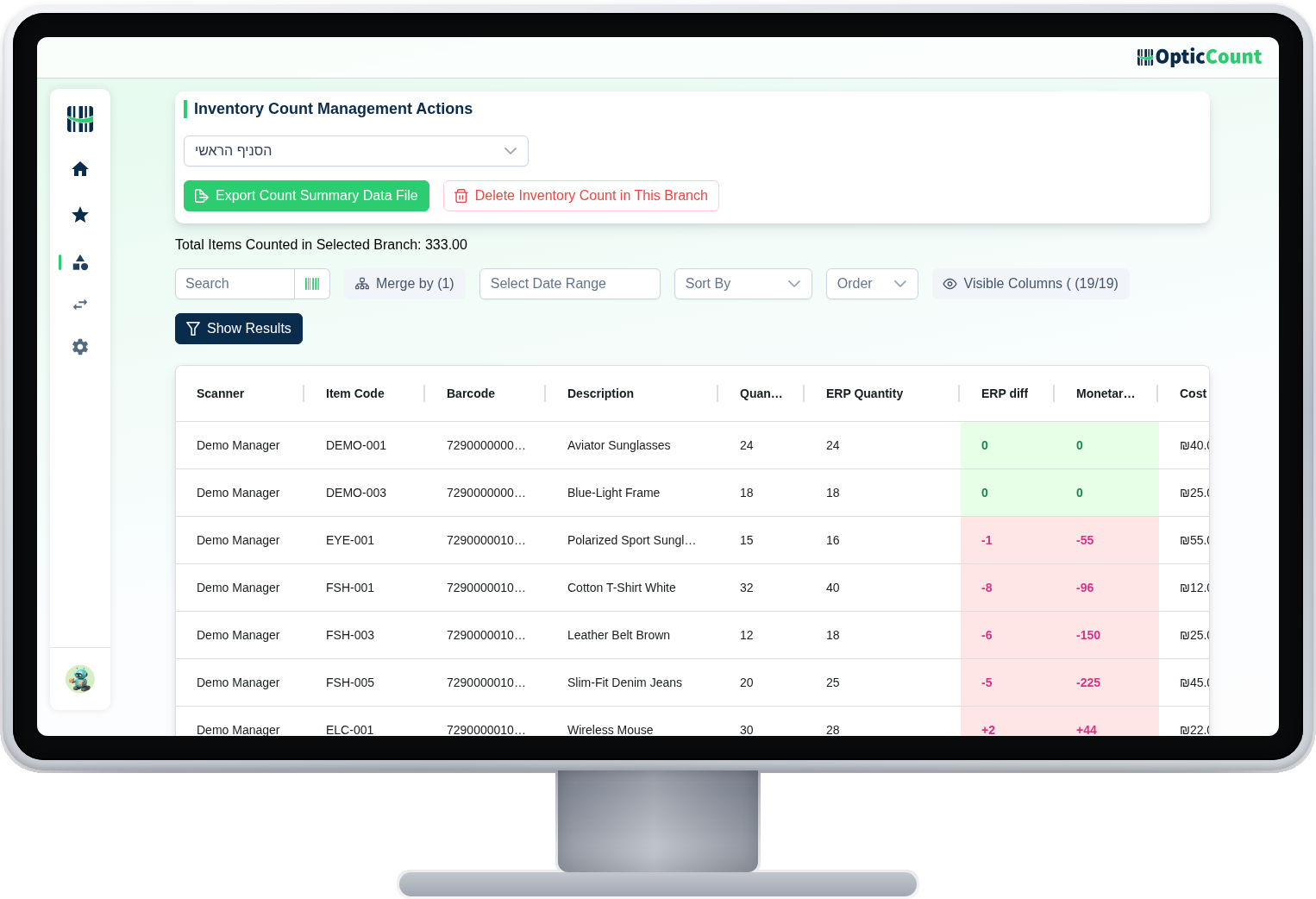
The results arrive already shaped for your ERP.
The results screen shows every item with the counted quantity, the value your ERP has on record, and the difference between them. What you download imports as-is, without touching a column.
When the ERP alone is enough
Two hundred items, one yearly count, and one person calmly typing at a desk? You can live with that. The comparison starts to hurt when there is a team, a real warehouse, or more than one count a year.
See it work on your actual inventory
Want to save your team hours and cut mistakes? Leave your details and we'll get back to you today, with answers to your questions.
Nice to meet you
Just so we know who we're calling.