
After the count, nobody retypes a single number.
Priority wants its own columns, Hashavshevet wants others, Comax wants a third thing. Set your system's template once, and every count from then on downloads ready to import. For some systems there is no file in between at all: the data goes straight across.
No retyping
Quantities travel from the count into your system in a file it knows how to take. No re-keying, and no digit changing on the way.
No evening in Excel
Your system's template is set up once: the same columns, in the same order, on every count from then on.
No implementation project
We set the first connection up with you, against a sample file of yours. From the second time it is one click.
The results are already shaped the way your ERP wants them.
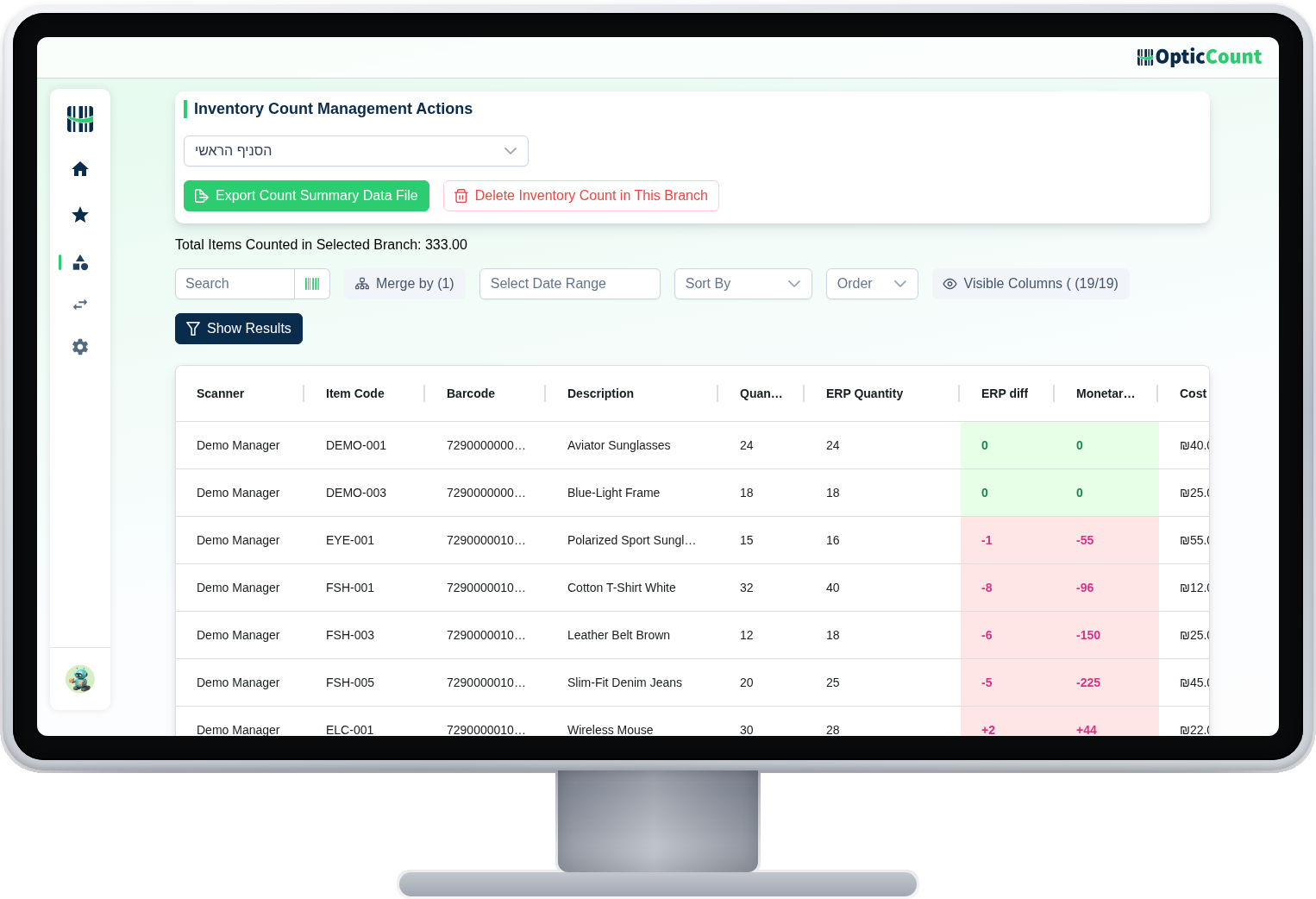
The results screen shows every item with the counted quantity, the quantity your ERP has on record, and the difference between them. What you download here is not raw data for someone to tidy up later, it is a file that goes into the system as-is.
Merged or per location
One line per item, or a line for every shelf it sits on. Whichever way your system likes to ingest.
Export only what needs fixing
Only differences, only one category, only one branch. If thirty items need correcting, there is no reason to import three thousand.
The columns are yours
Choose which fields go in and in what order. The setup is saved, so the next count downloads identical to the last.
The things that save you the implementation meeting.
Full Excel, always
Even with no ERP, a clean report your accountant will actually like
Saved column mapping
Define once which fields and in what order, and it sticks
Merge on your terms
An item on four shelves can export as one line or four
Partial export
Only negatives, only positives, only what you marked
Live integrations
With some systems there is no file, and no import step either
We tune the first connection
Send us a sample file and we set the template up with you
Your system is probably already here.
Priority, SAP B1, SAP B1 with the retail module, Hashavshevet, Comax, Rivhit, Restigo, Orpak, All4Shop, OneERP, Minisoft, Boss, Yarpa, Nesher Tevel, Bina, Shopify, Wix, and of course Excel.


















Your system is not on the list? Send us a sample import file. In most cases it is column mapping rather than a project, and we build the format.
Every workflow that ends in a file.
What people ask us
Do you have an API?
There is no open public API right now. There are official integrations (Shopify, Wix, Priority, Hashavshevet, WhatsApp, Bina) and file exports in templates tuned for every system on the list.
Our system is not on the list. Are we stuck?
Almost never. Send us a sample import file from your system, and in most cases we adapt the format. It is usually column mapping, not a project.
Can we export mid-count, before closing?
Yes. You can download the current state at any point, and it does not stop or disturb the count.
Who helps us with the first connection?
We do. Once there is a catalog file and we know which system you run, we tune the template together. After the first time it is a button.
See it work on your actual inventory
Want to save your team hours and cut mistakes? Leave your details and we'll get back to you today, with answers to your questions.
Nice to meet you
Just so we know who we're calling.