
Every item knows which shelf it sits on.
Split the store into locations: a shelf, a zone, a box, whatever matches your floor. Every scan attaches to the location it happened in, so no area is forgotten, nothing is counted twice, and the report can also say where.
Per location
Scan a location, then what is in it. Every item attaches to the right place automatically.
Merged in a click
The same item on three shelves? The report shows one total, with a breakdown per place.
Zero double-counts
A closed area is not counted again, and an unopened one stands out immediately.
Define once, scan by it always.
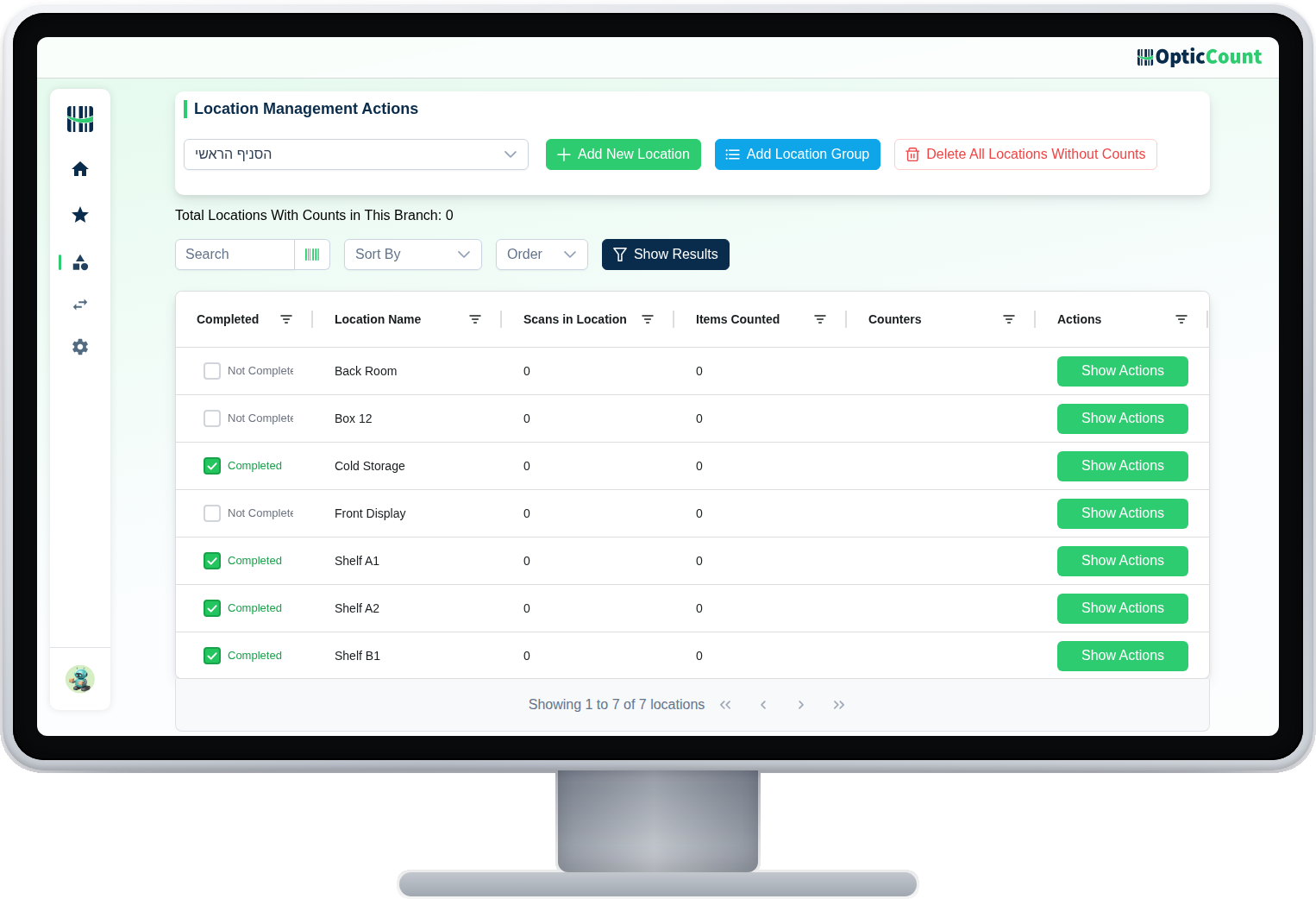
The locations management screen: each branch with its list of locations, and you can print a barcode label per location to scan at the start of each area.
Your structure, not ours
Shelf A, floor -2, box 12, checkout stand. Define what actually exists on your floor, without bending for the system.
Work split you can see
Each worker closes a location and moves on. The manager sees which areas are closed and what is still open, mid-count.
The report comes out your way
A line per item per location, or merged into one total. Whichever your accountant or ERP prefers.
What keeps order even in a packed warehouse.
Free-form locations
Shelf, zone, box or room, any name you choose
A label per location
Print a location barcode and scan it entering the area
Automatic merging
An item in several places converges to one total
A worker per area
Clear division, no two people on the same shelf
Store equals warehouse
The same mechanism for a shop, a central warehouse, a yard shed
Export by place
The report can detail each location or merge them
When it matters not just how many, but where.
What people ask us
What is the difference between a branch and a location?
A branch is a whole unit with its own stock (a store, a warehouse). A location is a sub-place inside it: a shelf, a zone, a box.
An item moved between shelves. Now what?
Update it manually from the scans, or simply recount that specific location. No need to recount the whole branch.
Do we have to use locations?
No. A small business can count with no division at all. When the floor grows, add locations without changing anything else.
See it work on your actual inventory
Want to save your team hours and cut mistakes? Leave your details and we'll get back to you today, with answers to your questions.
Nice to meet you
Just so we know who we're calling.