
Inventory count sheet template (Excel and PDF)
Counting on paper or in a spreadsheet? Here is a clean sheet you can download and start with today: an Excel file that totals the value for you, and a page to print. No sign-up, no email.
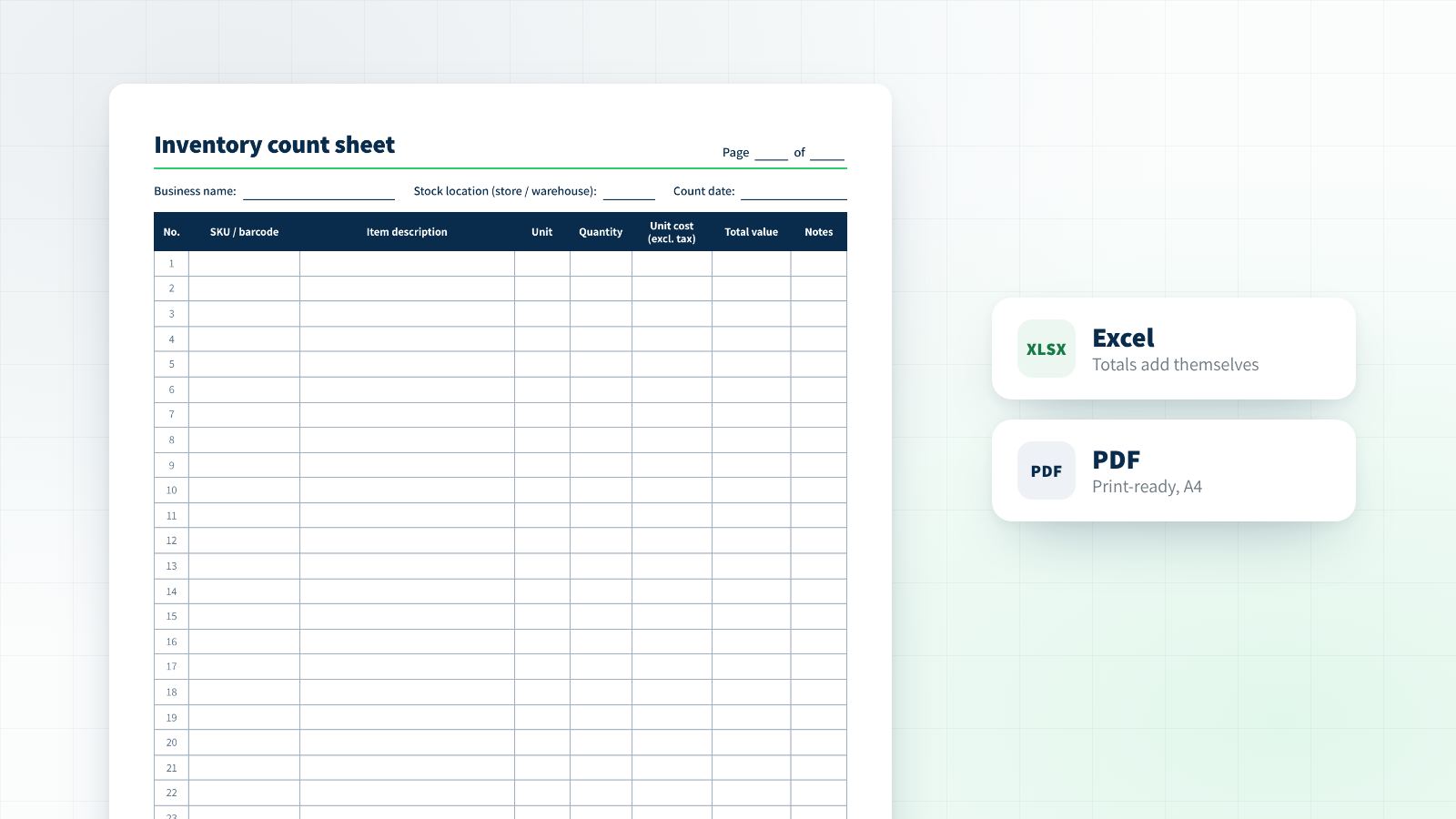
Download the inventory count sheet
Two files, one sheet. The Excel version suits anyone typing the count in who wants the value worked out for them. The PDF suits anyone printing pages and walking the shelves with them. Both are free to download, with no sign-up.
What is on the sheet
The sheet uses the columns a manual count sheet normally carries. The header has room for the business name, where the stock is held, the count date and the page number, and the footer for who counted and a signature. Those details look like paperwork, and they are exactly what lets you trace an odd number two weeks later.
| Column | What goes in it |
|---|---|
| No. | A running number for each line, so a specific line can be referred to |
| SKU / barcode | The item's identifier, as it appears in your system or on the pack |
| Item description | A clear name, with size, colour or volume where there are variants |
| Unit | The unit you are counting in: each, carton, kg, metre |
| Quantity | What was actually counted on the shelf, not what the system says |
| Unit cost | What the item cost you before tax, not its selling price |
| Total value | Quantity times cost. The Excel sheet works this out for you |
| Notes | Damaged or expired items, or stock on your premises that is not yours |
This is a general sheet. Which details your business has to record, and when exactly to count, are questions for your accountant.
How to fill it in without the usual mess
- Split the floor into zones and give each counter a zone and pages of their own. No shelf gets counted twice and none gets missed.
- Number the pages before you start (page 1 of 12). A missing page shows up at once, not at the summary.
- Write in pen, and correct with a line, not an eraser. A number that was rubbed out is a number nobody can explain.
- Count what you see. Nobody looks at the system quantity until the shelf is done.
- Stock that is not yours (consignment, repairs, a customer's goods) goes on a separate page.
- Sign each page when it is finished, and only then type it in. Whoever typed it marks the page.
Where a paper sheet starts to cost you
For a few dozen items once a year, a sheet like this does the job and there is no reason to complicate it. The trouble starts as the catalog grows: every line is written by hand and then typed again, two people cannot work in the same file, and the differences against the system only appear once everything is typed, when it is too late to go back to the shelf.
Counting from a phone, the sheet fills itself in as you go: every scan is recorded with the item, the quantity, the location, who scanned it and when, and the report is ready when the count ends. You can try it on your own stock with 300 free scans, no credit card.
Want to compare before you decide? Four ways to count inventory, side by side
Common questions
Is the sheet free?
Yes. Both files are free to download and use in your business, with no sign-up and no details to leave.
Can I change the sheet?
Yes. In the Excel file you can add columns (a location or an expiry date, for example), change units and add lines. The value formula keeps working as long as you copy an existing line.
Which price goes on the sheet?
A count sheet normally records what the item cost you, before tax, not its selling price. How to value damaged, slow or written-down stock is a question for your accountant.
How many lines does the sheet have?
The PDF page has 30 lines, and you print as many pages as you need. The Excel sheet has 300 numbered lines, and you can add more.
When is it worth moving from a sheet to scanning from a phone?
When typing up the count takes longer than the count itself, when more than one person counts, or when the differences show up too late. At that point the time you burn costs more than any system.