
Fast, accurate inventory counts from any smartphone.
Managers watch progress live, differences are calculated as you go, and a clean report is waiting at the end. This is what counting looks like when it stops hurting.
- Your whole team scans at once
- Built for catalogs up to tens of thousands of items
- Live oversight from the desktop
Over 600 businesses tried it and loved it
























What scanning actually looks like
Pick whatever suits the moment. Mix and match too: part of the team on camera, part on scanners.
With the smartphone camera
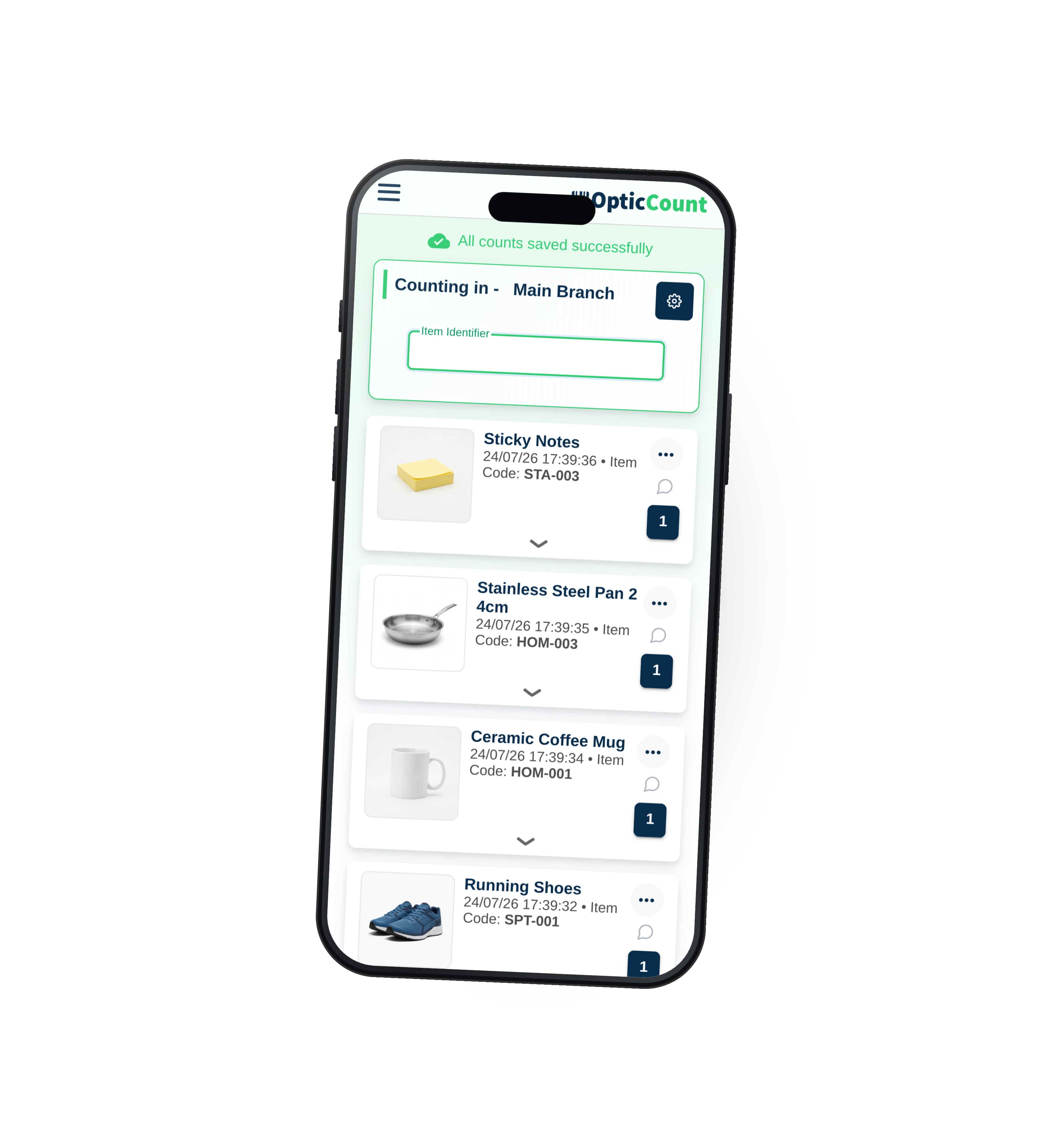
Fast, simple and accurate scanning with no external accessories. Anywhere, anytime, on any smartphone.
With a portable barcode scanner
A mobile scanner that pairs with any iOS or Android device over Bluetooth. Built for fast, continuous scanning.
It does not just scan. It watches your back.
Behind every scan is a system that sees everything in real time, stops mistakes before they happen, and keeps working in any condition.
Shows you where the problem is
Not just numbers at the end, but where the biggest gaps are and what's worth re-counting.
Count fast, and in parallel
As many scanners as you need, each on their own zone. No duplicates, no shelf left behind.





Errors stopped early
Duplicate and similar-item detection, quantity checks and validation rules that catch a mistake before it reaches the report.
Works without internet
No signal in the warehouse? Keep scanning. Everything saves and syncs the moment you're back online.

Instant item lookup
Scan and see it all: name, price, location and stock. No more guessing at the shelf.
Everything logged
Who counted what, where and when. A full action log for every count, no need to ask anyone.
DanaZone 314:22IdanChiller14:24RuthStockroom14:27The team counts on the floor. You see it all live.
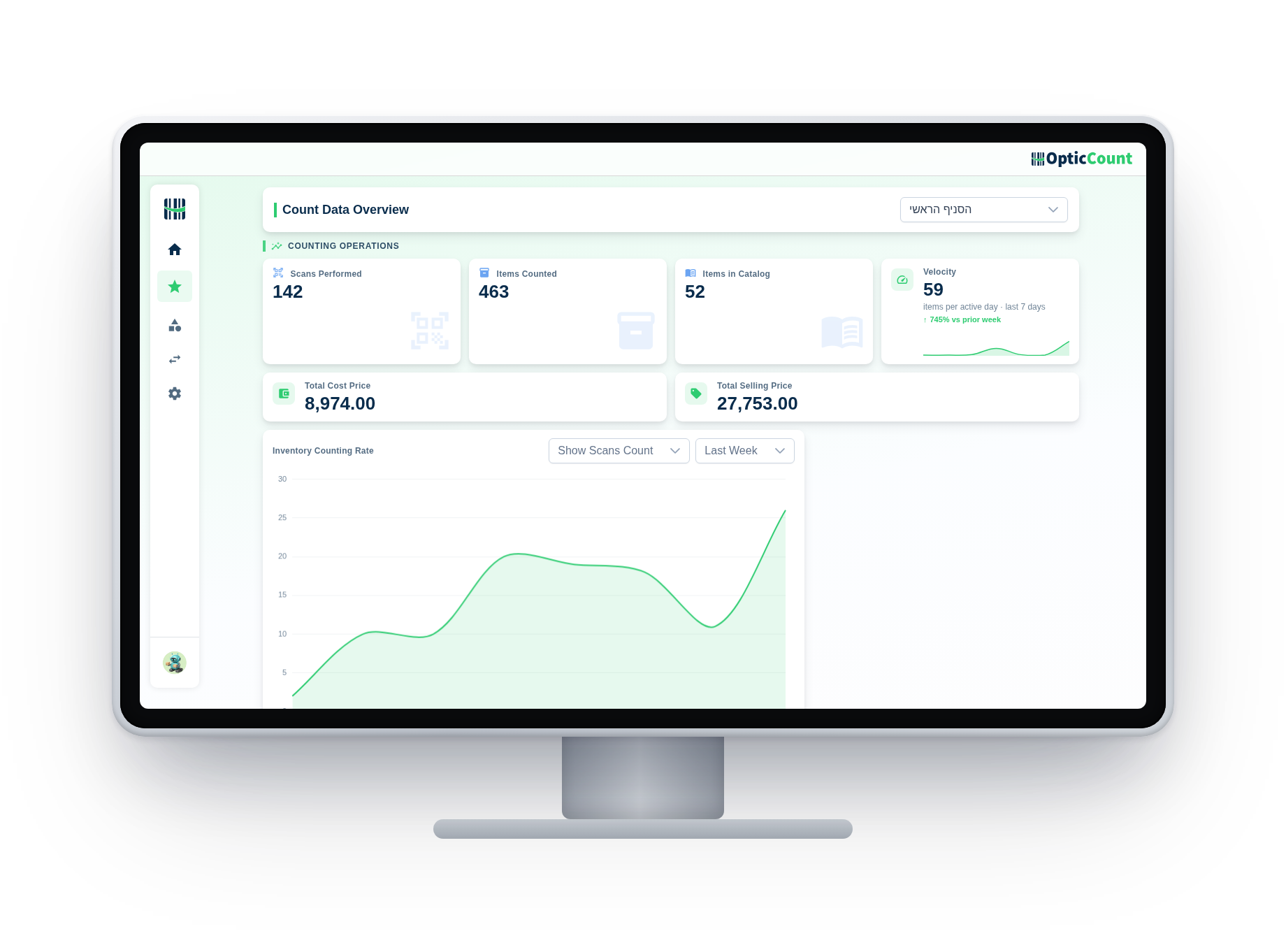
While scanners work the shelves from their phones, the office screen fills in real time: how much is counted, who's counting, and where gaps are opening. No waiting for the end, no getting up from your desk.
- Live, not at the endEvery scan on the floor shows in the dashboard instantly. Watch the count progress in real time.
- Control from anywhereFrom the office, from home or from your phone. One account for every branch and warehouse.
- Each to their own screenCounters focus on scanning from the phone; the manager analyzes and decides from the desktop.
Dozens of features. One system.
Dozens of features. One system.
Everything we learned about counting, built in. Hover any tile to see what it does for you.
Exactly when you need to
Counting every day or just once a year, the right fit for you.
Full inventory count
The entire catalog, yearly or quarterly. The classic, minus the pain.
Rolling inventory count
Count a zone, mark it done, move on. The business never stops.
Sample inventory count
Check a sample for a quick accuracy picture between big counts.
Partial inventory count
Just a category, a location or a predefined item list, nothing else.
How do you count today?
We compared point by point against the familiar methods. No spin, including when they're actually enough.
Finish counting, and the report is already there.
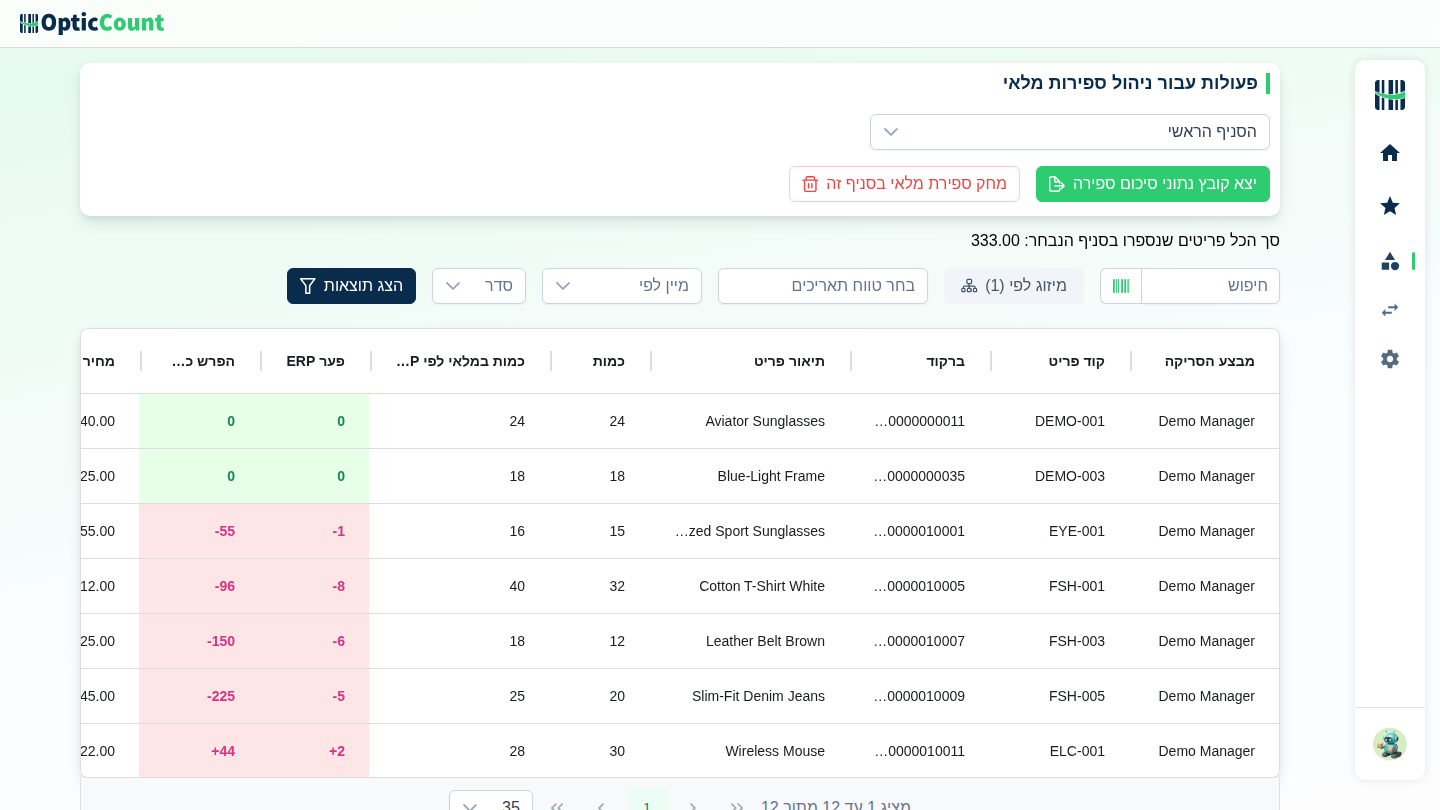
The moment the count ends, differences are already calculated: what's missing, what's extra and what the gap is worth. Download a file your accountant understands, or export in a format your ERP accepts without arguments.
- Difference report ready in one click, even mid-count
- Full Excel or a dedicated format for your system
- Complete trail: who counted what, where and when


















Our customers said it best
Counts that finish faster, numbers that add up, and support one WhatsApp away.
Thank you for the wonderful service, the team and the software that helped us so much. The count took 3 days for the whole place with 14,000 items, versus 20 days last year with high deviation and inaccurate numbers. This time with OpticCount it was easy and faster, with accurate numbers and no errors.
Now that adapting your software to my business is complete, I want to thank you for the exceptional service I received throughout. I especially want to mention Tali, who took care of me with first-rate dedication and professionalism. My inventory is highly complex (over 3,300 items), and Tali never gave up, she made sure to find an answer to every request and question of mine, in the shortest time. Thanks to your software I can now stay on top of my inventory, receive up-to-date orders, and of course get an instant picture of my stock and shortages, saving costs and precious time. OpticCount is fortunate to have your employee Tali, and so am I, now that I have excellent software to manage my inventory efficiently and give my customers excellent service.
I'm really happy with the system, and especially the service! I've done inventory counts for years and never worked with a company that responded so fast and professionally. A pleasure to work with you! On top of that the software is smart and easy to operate. Truly comfortable to work with.
We use the system for inventory counts several times a year across dozens of branches. Very satisfied with the speed, accuracy and service.
Excellent and very friendly software, an amazing team and super fast service! Recommend.
Thank you for the wonderful service, the team and the software that helped us so much. The count took 3 days for the whole place with 14,000 items, versus 20 days last year with high deviation and inaccurate numbers. This time with OpticCount it was easy and faster, with accurate numbers and no errors.
Now that adapting your software to my business is complete, I want to thank you for the exceptional service I received throughout. I especially want to mention Tali, who took care of me with first-rate dedication and professionalism. My inventory is highly complex (over 3,300 items), and Tali never gave up, she made sure to find an answer to every request and question of mine, in the shortest time. Thanks to your software I can now stay on top of my inventory, receive up-to-date orders, and of course get an instant picture of my stock and shortages, saving costs and precious time. OpticCount is fortunate to have your employee Tali, and so am I, now that I have excellent software to manage my inventory efficiently and give my customers excellent service.
I'm really happy with the system, and especially the service! I've done inventory counts for years and never worked with a company that responded so fast and professionally. A pleasure to work with you! On top of that the software is smart and easy to operate. Truly comfortable to work with.
We use the system for inventory counts several times a year across dozens of branches. Very satisfied with the speed, accuracy and service.
Excellent and very friendly software, an amazing team and super fast service! Recommend.
I want to thank you for the amazing system. I'm Eyal, a minimarket owner, second year counting with it. Excellent, runs nonstop, everything online, perfectly accurate. We're a team of 4 counters with a ~40,000-item catalog and it all runs smoothly, including with suppliers. I work with Comax, and at the end one click imports everything into Comax. High-quality software, no glitches, and the price is worth it. Warmly recommend to everyone.
A really successful count, smoother than last year. Great service and availability, every question answered instantly. It used to take me weeks to wrap up; now I finished two days after the count. Having the scanners really helps. Highly recommend.
At Bana Beverages we use the system across all our branches, with many workers at once straight from the smartphone. A great tool that saves time and money.
Went great! Thank you for personal, professional guidance at the highest level.
It used to take me weeks to wrap things up, and now I finished two days after the count.
I want to thank you for the amazing system. I'm Eyal, a minimarket owner, second year counting with it. Excellent, runs nonstop, everything online, perfectly accurate. We're a team of 4 counters with a ~40,000-item catalog and it all runs smoothly, including with suppliers. I work with Comax, and at the end one click imports everything into Comax. High-quality software, no glitches, and the price is worth it. Warmly recommend to everyone.
A really successful count, smoother than last year. Great service and availability, every question answered instantly. It used to take me weeks to wrap up; now I finished two days after the count. Having the scanners really helps. Highly recommend.
At Bana Beverages we use the system across all our branches, with many workers at once straight from the smartphone. A great tool that saves time and money.
Went great! Thank you for personal, professional guidance at the highest level.
It used to take me weeks to wrap things up, and now I finished two days after the count.
What everyone asks before their first count
What do I need to get started?
An item catalog (an Excel file is perfectly fine) and a smartphone. Send us the file and you'll be scanning your first item shortly after.
Do we have to close the store?
Freezing stock movements during the count is recommended, but a rolling count works too: count a zone, mark it done, continue. If your ERP can load a file for a date range, in-between movements are covered as well.
How many people can count at once?
There's no hard limit. Dozens of counters can work the same count together, and the system handles catalogs of tens of thousands of items with ease.
Do we need a handheld or special equipment to count?
No. Instead of expensive rented handhelds, every team member's smartphone becomes a full scanner, with no device limit and no pickup-and-return logistics. You can add a Bluetooth scanner if you want, but it's an option, not a requirement.
What about items without a barcode?
Search by name or SKU, or print barcode labels straight from the system and stick them once.
Can I fix a wrong scan?
Yes. Every counter can open their recent scans, pick an item, and delete it or edit the quantity.
Does it work without internet?
Yes. Keep scanning with no signal, data is saved locally and syncs automatically once you're back online.
Can we do a partial or sample count?
Yes. Count locations, categories or a predefined item list. The export shows only what was counted.
How does the data reach the ERP?
Export a file in the format your system accepts: Priority, SAP B1, Hashavshevet, Comax, Rivhit and more. Some systems also connect directly.
See it work on your actual inventory
Want to save your team hours and cut mistakes? Leave your details and we'll get back to you today, with answers to your questions.
Nice to meet you
Just so we know who we're calling.