
Everyone sees exactly what they need.
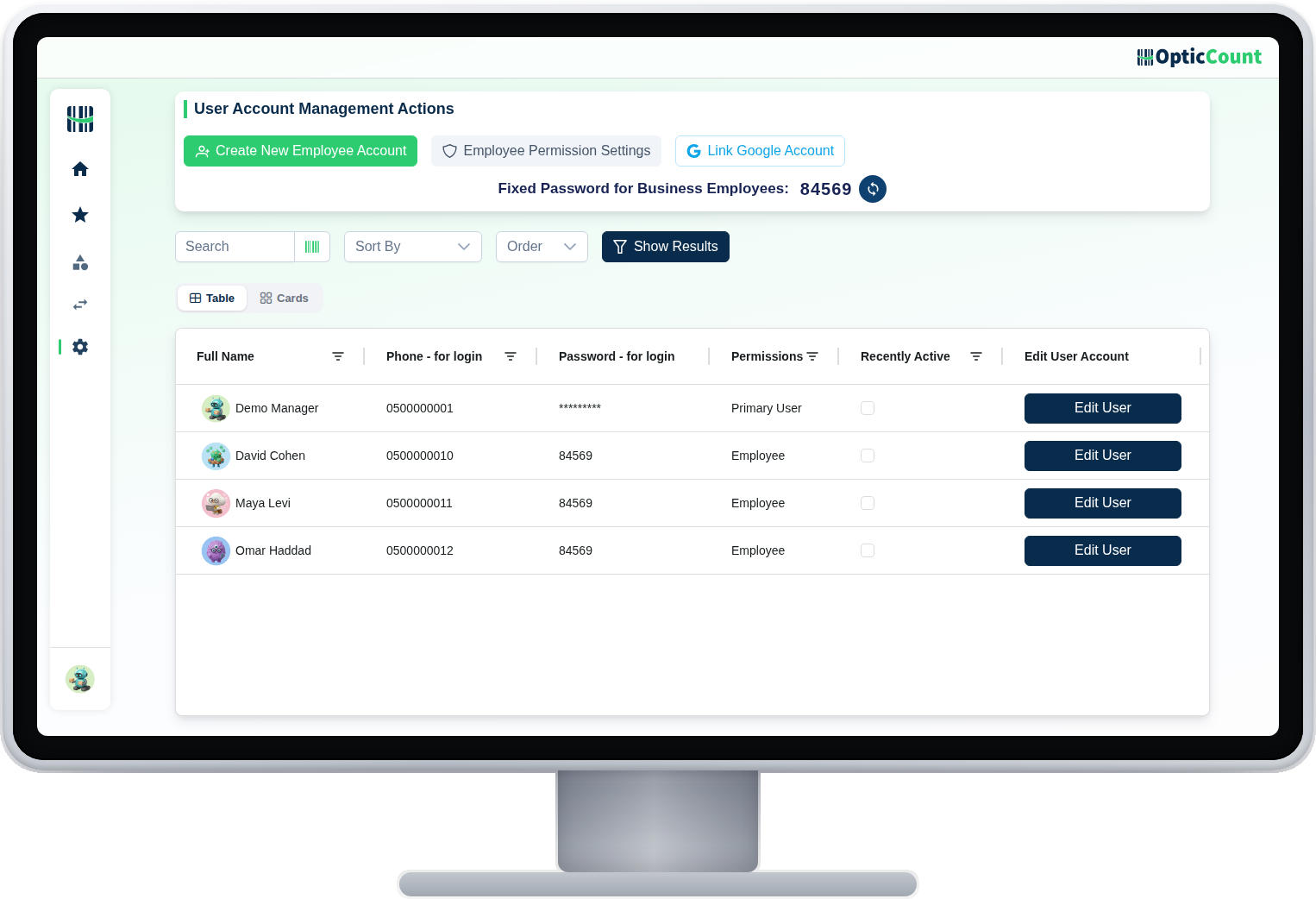
The owner sees everything. A sub-manager sees their branches. A worker sees a simple screen with their work. Three tiers, per-branch assignment, and a log that records every action. No permission matrices that need a course.
3 tiers
Owner, sub-manager, worker. Flexible enough for a chain, simple enough for one shop.
Per branch
Every user gets an allowed-branches list. What is not on it does not exist for them.
All logged
Who opened, who edited, who deleted and when. When the audit asks, there is an answer.
User management you run yourselves.
The user management screen: add a worker with a name and phone, pick a tier, assign branches. They get a code by phone and start working. No access cards and no waiting for support.
Pinpoint grants when needed
A worker who manages orders or opens return documents? Switch on that specific grant, without making them a manager.
Management screens locked for real
A worker reaching a management page by direct link is blocked at the server, not just hidden in the menu.
One phone, one user
Two accounts cannot share a number, and a worker who forgot a password resets it alone with a phone code.
The quiet of knowing who can do what.
Owner
Sees and edits everything, in every branch
Sub-manager
Manages only the branches assigned to them
Worker
A simple screen: scan, count, finish
Branch assignment
A defined list per user, the rest is hidden
Pinpoint grants
Orders, loans or catalog, without a manager tier
Activity log
Every critical action recorded: who, what, when
Self password reset
A phone code instead of calling the manager
Blocked at the server
A direct link to a management page will not help
In every workflow more than one person touches.
What people ask us
Can we limit who counts in which branch?
Yes. Each user has a defined allowed-branches list, and they see and work only in those.
A worker needs to open orders. Do we have to make them a manager?
No. There are pinpoint grants (orders, documents, loans) you switch on for a specific worker, or several at once.
Is there a record of who changed what?
Yes. Critical actions are recorded in an activity log with the user and time, ready for internal or external audit.
See it work on your actual inventory
Want to save your team hours and cut mistakes? Leave your details and we'll get back to you today, with answers to your questions.
Nice to meet you
Just so we know who we're calling.