
One source of truth. Every workflow drinks from it.
Catalog, suppliers, customers and branches live in one place, and every count, receipt, order and return leans on them. One supplier is one record, not three spellings of the same name.
4 registries
Catalog, suppliers, customers and branches. Everything else is built on top.
One record
A supplier entered once serves every receipt, with the aliases the system learns from them.
Pulled from ERP
Connected to an existing system, the base syncs from there. One list, not two.
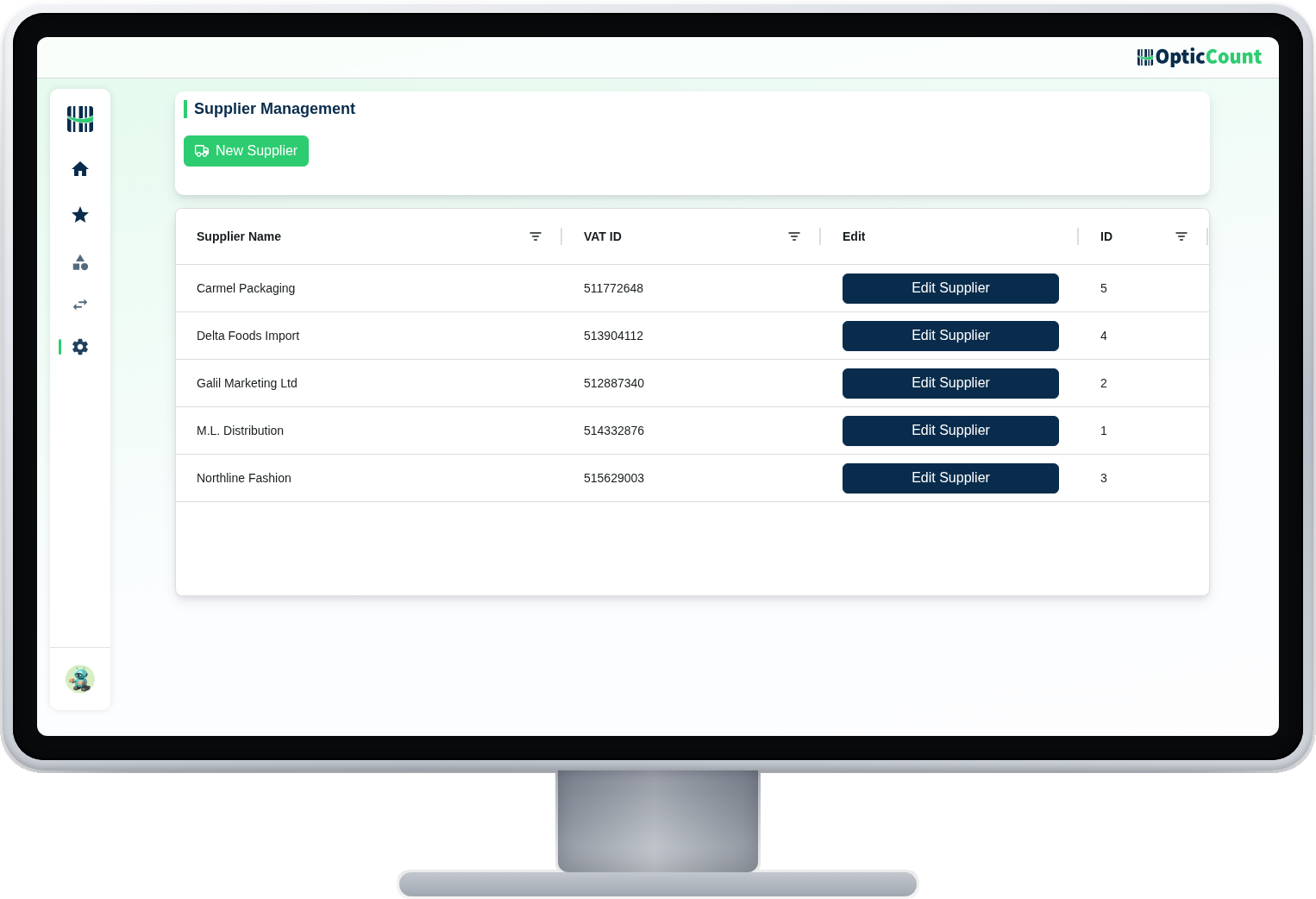
One record per supplier, and all the history hangs on it.
The supplier management screen: each supplier with their details, and their receipts, orders and returns linked to them. When someone asks "what did we get from Galil Marketing", there is one answer.
The system learns the supplier
Supplier SKUs appearing on documents get linked to your items, and the next receipt recognizes them by itself.
Customers for orders and returns
A name, phone and address entered once, and every future document picks them from the registry instead of typing.
A branch is also a permission boundary
Each branch is its own stock, and a user's branch list decides what they see. The base and the security in one place.
A base that holds everything built on it.
Item catalog
SKU, barcode, prices, variants and photos
Suppliers
One record with SKU aliases learned from documents
Customers
Details serving orders and return documents
Branches
Separate stock for each, and permissions derived from them
Excel import
Start from an existing file, no typing
ERP sync
With a connection, the base is pulled and stays current
Underneath every workflow in the system.
What people ask us
Where does a new business start?
From the catalog file. Upload an Excel, define a branch and users, and you can count. Suppliers and customers join when needed.
Who is allowed to edit base data?
Whoever was granted it. You can give a specific worker a catalog grant without opening the rest of management.
A new item shows up on the floor. Wait for the office?
No. Anyone with the grant opens the item from the receiving or identification screen, and the office completes details later.
See it work on your actual inventory
Want to save your team hours and cut mistakes? Leave your details and we'll get back to you today, with answers to your questions.
Nice to meet you
Just so we know who we're calling.